How to Replace Samsung Refrigerator Water Filter: Steps for Your Model
If your refrigerator’s filter light just turned on, you probably want to know how to replace a Samsung refrigerator water filter without buying the wrong cartridge or causing a leak. Most Samsung refrigerators use one of three filters (HAF-CIN, HAF-QIN, or HAFCU1), and each one twists out and locks back in within a few minutes. Your model decides where the filter sits and how you reset the reminder light.
The details matter because a filter that almost fits can drip, slow your water flow, or keep the ice maker from filling. A filter only performs to the NSF/ANSI claims listed for that exact product, and compatible cartridges vary in what they claim. Even then, a cartridge that is not seated fully can let water bypass the filter media.
Below, you will learn how to find your filter type and location. You will also see how to change it cleanly, how much water to run through it, and how to reset the light on your control panel. If something goes wrong afterward, you will know what to check first.
HAF-CIN, HAF-QIN, or HAFCU1: Which Does Your Samsung Use?
Your Samsung refrigerator uses one of three main internal filters: the HAF-CIN, the HAF-QIN, or the HAFCU1. Samsung’s support page lists these as the three Samsung refrigerator water filter models. Each one uses its own housing, so they cannot be swapped for each other.
Each cartridge looks different, which helps when the label is worn:
- HAF-CIN: A long, round filter with a round cartridge end. Its Samsung part number is DA29-00020B.
- HAF-QIN: A long filter with a squarish body and a squarish end. The HAF-QIN water filter often uses part number DA97-17376B and fits many French door units.
- HAFCU1: A shorter, wider cylinder that is easy to spot.
Where Is the Filter Located?
The location depends on your model. In many Samsung refrigerators, the filter sits inside the fresh food section in the upper right corner. In others, it sits low in the cabinet near the crisper drawers.
Look for a cap or cover marked LOCK. That marking shows up on most Samsung filter housings and tells you which way to turn. If you cannot find it after checking both spots, your user manual will show the exact position for your model.
A few Samsung models use an external filter in place of an internal cartridge. If you see no filter inside the cabinet at all, check the manual before you buy anything.
How Can You Confirm the Cartridge Type Before Starting?
Start with your refrigerator’s model number. You will find it on a label inside the fridge compartment, often along a side wall. Samsung also offers an online filter finder that matches that model number to the correct cartridge.
The second way is to read the part number printed on the filter you have now. Samsung’s Canadian water filter replacement guide suggests you check the old cartridge for HAF-CIN, HAF-QIN, or HAF-CU1 and note its shape. A genuine HAF-QIN water filter is easily recognized by its distinctive square locking teeth.
When you shop, match either number with a filter cross-reference tool or search by the part number itself. Samsung recommends its genuine filters and warns that third-party filters may leak. If you choose a compatible filter, confirm the exact fit and read that product’s own NSF and WQA claims first.
Remove the Old Filter
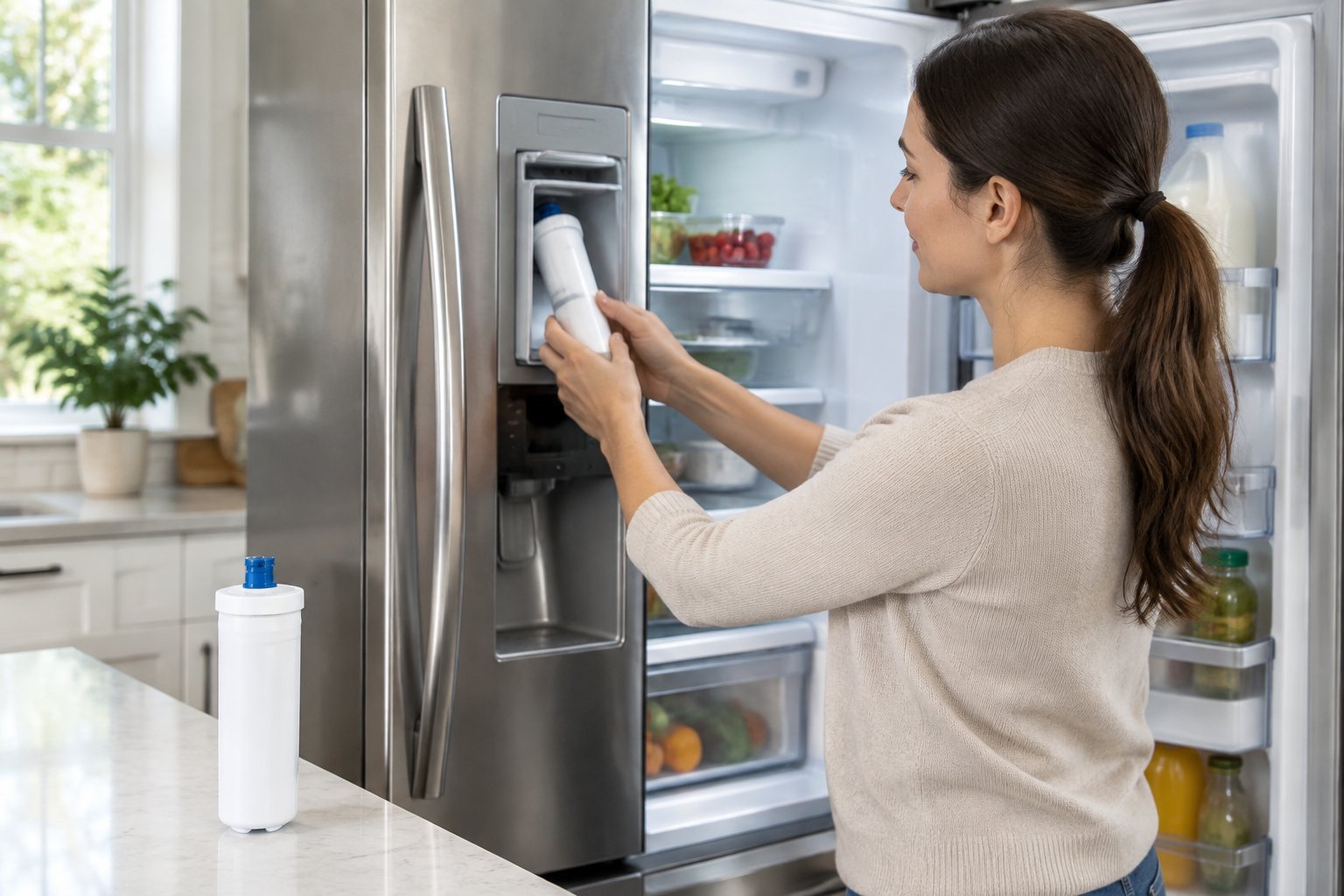
Removing the old filter takes one counterclockwise twist on most Samsung models. Keep a towel under the housing, since a little water will drip out when the seal breaks.
Should You Turn Off the Water Supply First?
Yes. Samsung’s instructions list shutting off the water supply as step one for all three filter types. The shutoff valve sits on the water line behind the fridge or under a nearby sink.
After you close the valve, press the water dispenser until the flow stops. This releases pressure trapped in the line. Less pressure means less spray when the filter comes out, and the cartridge turns more easily.
Here is the removal process by filter type. Confirm it in the user manual for your exact model, since housings vary:
- HAF-CIN and HAF-QIN: Open the filter cover. Rotate the filter counterclockwise until it unlocks, then pull it straight out.
- HAFCU1: Twist the filter to the left to unlock it, then pull it out of the housing.
How to Replace Samsung Refrigerator Water Filter When the Cartridge Feels Stuck?
A snug filter is normal, especially if it has been in place for six months or more. Samsung notes that a gentle twist usually frees it. Make sure you are turning counterclockwise (left), since turning the wrong way only tightens it.
If it still will not move, try these steps:
- Relieve the pressure again by closing the valve and pressing the dispenser until nothing comes out.
- Grip the whole cap firmly with a dry hand or a rubber jar opener for better traction.
- Wiggle the filter slightly while turning so the old O-rings let go.
- Avoid pliers or wrenches, since they can crack the housing.
Mineral buildup and dried seals are the most common reasons a cartridge sticks. If nothing works, call a service technician before forcing the housing.
Install the New Cartridge
Install the new cartridge by removing its protective cap and turning it clockwise until it locks. The whole job of changing a Samsung refrigerator water filter takes a few minutes once the old one is out.
How Do You Align and Lock a Twist-In Filter?
Alignment marks are what tell you the filter is seated. The mark you look for changes by filter type:
- HAF-CIN and HAF-QIN: Take off the protection cap. When installing a HAF-QIN water filter, push firmly into the housing and turn clockwise until the lock symbol lines up with the indicator line.
- HAFCU1: Take off the protective cap. Insert the filter and twist it to the right. Stop when the notch lines up with the arrow on the housing.
You should feel a firm stop when it locks. If the marks do not line up, the filter is not fully seated. Back it out a quarter turn and try again with steady, even pressure.
What Should You Check Before Turning the Water Back On?
Take a few seconds to check your work before you open the valve. That way, a small mistake does not turn into a puddle.
- The protective cap is off the new filter.
- The alignment marks line up exactly.
- The filter does not wiggle or pull out with a light tug.
- The filter cover, if your model has one, closes fully.
- The part number matches your old cartridge or your model’s listing.
Then open the water valve slowly. Watch the housing for a minute to spot any drips early.
Flush the Water and Reset the Indicator
After installation, you need to run water through the new filter and then reset the filter light. Flushing clears air and loose particles. Resetting restarts the six-month reminder.
How Much Water Should You Dispense After Installation?
Samsung advises dispensing several gallons of water after you install a new filter. That clears out air and any impurities from the new cartridge. Use a large pitcher and pour the water on plants or down the drain.
Expect sputtering at first. Air trapped in the new filter pushes out in bursts, and the water may look cloudy for a short time. Both are normal and fade as you keep dispensing.
Flushing amounts can differ from one filter to another. If you install a compatible cartridge, follow the flushing instructions on that product. When the flow runs steady and clear, you are done.
How Do You Reset the Filter Light on Your Model?
The reset steps depend on your control panel. Samsung lists these methods:
- Standard models: Press and hold the Filter Reset button for three seconds.
- Family Hub models: Go to Apps, tap Fridge Manager, then Fridge Settings. Select Water Filter and tap Reset.
- Models with arrow buttons: Use the arrows to reach More Options, then tap Filter Reset.
- RF4289 and RSG309 models: Open Settings, tap Water Filter, then hold Reset until the status changes.
The light runs on a six-month timer, not a water meter. That is why it needs a manual reset each time you install a new filter.
Check for Problems After the Filter Change
Most post-change problems come from a filter that is not fully locked or from low water pressure. Both are easy to check at home.
What if the New Filter Leaks or Water Flow Is Slow?
A leak almost always means the filter is not seated. Close the water valve, relieve the pressure, and remove the filter. Check that the cap is off and the O-rings look clean and undamaged, then reinstall and line up the marks again.
For slow flow, try a quick pressure test. Samsung’s ice maker troubleshooting guide says your line should fill 6 ounces (3/4 cup) in less than 10 seconds. The fridge needs at least 20 psi, so make sure the home’s supply valve is fully open.
If a brand-new filter only passes that test after you remove it, the house water pressure is too low. A reverse osmosis system can also lower pressure. Also keep in mind that air in a new filter can slow flow until you finish flushing.
What if the Filter Light Stays On?
A light that stays on usually means the reset did not register. Repeat the steps for your panel and hold the button for the full three seconds. On some panels, you need to unlock the controls before the reset button will respond.
Be sure you are pressing the right control. On Family Hub models, the reset lives inside the Fridge Manager app, not on a physical button. If it still will not clear, check the user manual for your panel style.
A Proper Fit Makes the Next Filter Change Easier
Replacing a Samsung filter comes down to four moves: confirm the cartridge, twist out the old one, lock in the new one, then flush and reset.
Whether your fridge uses a HAF-QIN water filter or another cartridge type, knowing the exact part number makes reordering effortless. Write the part number and install date on a piece of tape inside the fridge door.
If your home has more than one refrigerator, the same habit saves time across brands.
Ready for your next cartridge? Find your Samsung filter with the filter lookup by model number at FilterForFridge.com, with free shipping in the lower 48 states. Not sure of your match? Email us your model number or call +1 615-758-6915.
Frequently Asked Questions
Do You Have to Shut Off the Water to Change a Samsung Refrigerator Filter?
Samsung lists turning off the water supply as the first step for every filter type. After closing the valve, press the dispenser until the flow stops to release pressure. This cuts down on drips and makes the old filter easier to turn.
Why Won’t My Samsung Water Filter Come Out?
Built-up pressure, dried O-rings, or turning the wrong way are the usual causes. Relieve the pressure, grip the cap firmly, and turn counterclockwise with a slight wiggle. Avoid tools that can crack the housing.
How Do You Reset the Filter Light on a Samsung French-Door Refrigerator?
On most French-door panels, press and hold Filter Reset for three seconds. Family Hub models reset through Apps, then Fridge Manager, Fridge Settings, and Water Filter. Models with arrow buttons use More Options, then Filter Reset.
Does a New Water Filter Affect the Samsung Ice Maker?
It can for a short time, since air in the new filter may slow the water that fills the ice trays. Samsung says ice should start within 8 hours and reach normal amounts within 24 hours. Throw out the first batch or two of ice after a change.
How Often Should You Replace a Samsung Refrigerator Water Filter?
Samsung recommends replacing it every six months. Its filters are rated for 300 gallons, which is about six months of use in an average household. Replace it sooner if the water flow slows, or if the taste or odor changes.