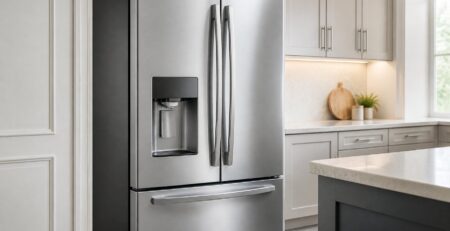
How to Replace Frigidaire Gallery Refrigerator Water Filter: Model-Specific Steps
Your Frigidaire Gallery refrigerator is flashing a filter light, the ice tastes a little off, and you are holding a new cartridge you hope is the right one. Learning how to replace a Frigidaire Gallery refrigerator water filter takes a few minutes. The part that trips people up is knowing which cartridge and steps belong to their model.
For most Frigidaire Gallery refrigerators, you confirm the filter number from your model number or old cartridge, open the housing inside the fresh food section, remove the old filter by pushing the eject button or turning it, install the new one until it locks, then flush and reset the indicator. The details change by model. Some Gallery units use a push-button ULTRAWF cartridge, while newer ones use a twist-in EPTWFU01. A few older units hide the filter behind the base grille.
Getting those details right protects your ice maker, your water flow, and your wallet. When you finish, you will know which cartridge fits, how to swap it without cracking the housing, and what to check if water still trickles out slowly.
Which Filter Fits Your Frigidaire Gallery Model?
Your refrigerator model number decides which filter fits, not the Gallery name on the door. Frigidaire has used several filter styles across Gallery side-by-side, French door, and top-freezer models. Two cartridges can look alike and still have different locking ends.
Read the Model Tag and the Old Cartridge
Start with the model and serial tag. On most Frigidaire Gallery refrigerators, it sits on the inside wall of the fresh food section, near the top or along one side. Some units place it on the ceiling of the compartment or near the crisper drawers.
Write down the full model number, including every letter at the end. A Gallery model might read something like FGHS2655PF or FGHB2868TF. Those trailing letters often mark a production change that affects parts.
Next, check the label on your current filter. Pull it out partway, or read it through the housing if you can. The part number is usually printed on the cartridge body or the end cap. Look for these names:
- ULTRAWF, sold as PureSource Ultra
- EPTWFU01, sold as PureSource Ultra II
Frigidaire has used other filter designs over the years, and they do not interchange. If your cartridge shows any other number, or the label has worn off, match your full model number to the correct filter before you buy.
Check ULTRAWF or EPTWFU01 Fit and Product-Specific Filtration Claims
ULTRAWF and EPTWFU01 do not swap freely. The ULTRAWF is a push-in cartridge that releases with an eject button. It shows up in many Gallery side-by-side models built before the switch to newer housings. The EPTWFU01 is a twist-in cartridge used in many newer Gallery French door and side-by-side models.
Frigidaire lists EPTWFU01 as the replacement for some housings that took older filters. That is true only for the models Frigidaire names, so check your manual or the product’s model list first. Never force a cartridge into a housing built for a different locking style.
Filtration claims also vary by product. An NSF/ANSI 42 listing covers aesthetic issues like chlorine taste and odor. NSF/ANSI 53 covers certain health-related contaminants, such as lead, and NSF/ANSI 401 covers some emerging compounds. A cartridge certified to one standard may not be certified to the others.
WQA approval is a separate mark, and a Water Quality Association (WQA) seal does not by itself prove a specific contaminant reduction. Frigidaire, for example, lists the ULTRAWF’s WQA claim under S803, a sustainability standard, in its ULTRAWF certification listing. Read each filter’s performance data sheet for the specific contaminants it reduces. Genuine and compatible cartridges often list different reductions.
Where Is the Gallery Filter Housing?
Most Frigidaire Gallery filters sit inside the fresh food compartment, usually in the upper right corner or along the ceiling. A smaller group of older models place the filter at the bottom front of the refrigerator. Your model decides which one you have.
Check the Refrigerator Interior
Open the fresh food door and look up. On many Gallery side-by-side models that use ULTRAWF, the housing sits in the top right rear corner. You will see a round cap or a small door with an eject button beside it.
On many Gallery French door models, the EPTWFU01 housing is on the ceiling or upper side wall of the fresh food section. It often hides behind a hinged cover you pull down. Some models tuck it next to the crisper drawers or behind the air vent near the top.
The filter itself looks like a long white or gray cylinder. You may need to slide a top shelf forward or remove an item or two to reach it. Clear the area before you start so any drips land on a towel, not your food.
Check the Base Grille and Your Model’s Manual
Some earlier Frigidaire models, including a few side-by-sides using the older PureSource style, keep the filter behind the toe grille. That is the plastic trim panel along the floor below the doors. The filter end sticks out as a round knob with a cap.
If you do not see a housing in either spot, look up your manual using the full model number. Search the PDF for the word “filter.” Consumer Reports suggests the same step in its guide on how to change a refrigerator water filter when a filter is hard to find, and adds that filters can also sit behind a top service panel on built-ins.
The manual also shows the removal direction and flush amount for your model. Those two details are the ones most people guess wrong.
How to Replace Frigidaire Gallery Refrigerator Water Filter Cartridges
You remove a Gallery filter by pressing its eject button or turning it, depending on the style, and you install the new one by pushing or twisting until it locks. Keep a towel and a small bowl nearby. A little water always escapes when the seal breaks.
Release the Old Filter Without Forcing It
Match your method to your cartridge:
- Push-button style (ULTRAWF on many models): Press the eject button next to the housing. The filter pops out partway, then you pull it straight out.
- Twist style (EPTWFU01 on many models): Open the cover, grip the cartridge, and turn it counterclockwise about a quarter turn. Then pull it down or out.
- Grille style (older models): Remove the toe grille if needed. Turn the cap counterclockwise or press the button, then slide the cartridge out.
A push-button filter sometimes sticks after six months of pressure. Press the button firmly and hold it while you pull. If a twist filter will not budge, confirm you are turning the right direction before adding force. Plastic tabs crack easily.
Most Frigidaire Gallery models do not require shutting off the water supply for a filter change. The housing has a shutoff built in. Check your manual if yours is an older grille model, since some owners prefer turning off the supply valve first.
Remove Protective Caps and Secure the New Filter
Unwrap the new cartridge and pull off any cap or seal on the inlet end. Many replacement filters ship with a plastic cap over the O-rings. Leaving it on blocks water and keeps the filter from seating.
Line up the filter with the housing. For a push-in ULTRAWF, slide it straight in until you hear a click. The eject button should pop back out. For a twist-in EPTWFU01, push it in and turn it clockwise about a quarter turn until it stops and the arrow or label lines up.
Close the cover if your model has one. Give the cartridge a light tug to confirm it will not slide out. A filter that sits loose will leak or block flow later.
After the Click: Flush, Leak Check, and Reset
After the new filter clicks in, you need to flush it, check for leaks, and reset the filter light. Each of these steps protects your water quality and your dispenser.
Flush Until the Water Runs Clear
Flushing clears trapped air and loose carbon dust from a new cartridge. Hold a large container under the dispenser and run water in short bursts. Sputtering and cloudy water are normal at first.
Flush amounts differ by model and filter. Consumer Reports’ general advice is about two gallons. A repair guide for Frigidaire Gallery models suggests two to three gallons, or two to three minutes of running water. Your Frigidaire manual may list a different number for your specific cartridge, so follow it first.
Stop once the water runs steady and clear. Use the flush water for plants so it does not go to waste.
Check for Leaks, Restore Ice Making, and Reset the Indicator
Wipe the housing dry, then check it again after 10 minutes. Beads of water around the cap mean the filter is not fully locked. Remove it, check the O-rings, and reinstall.
If you turned off the ice maker, turn it back on after flushing. Throw away the first two batches of ice. They can carry the same cloudy water and taste as the first flush.
Resetting the filter light also varies. On many Gallery models, you press and hold the Water Filter or Filter Reset button on the control panel for about three seconds. The light turns from red to green or goes off. Touchscreen models may use a menu option. Your manual lists the exact steps for your control panel.
Stuck Filter or Slow Flow? Check These First
A stuck filter or weak flow almost always comes down to three causes: the wrong release method, the wrong cartridge, or a filter that is not fully seated. Work through them in order before calling for service.
Check the Release Method and Cartridge Fit
If the old filter will not come out, confirm its style. People often try to twist a push-button ULTRAWF or pull a twist-in EPTWFU01 straight out. Both can damage the housing.
For a push-button cartridge, press the eject button harder and hold it in. Pull the filter at the same angle as the housing. For a twist filter, turn counterclockwise with a firm, steady grip. A dry dish towel helps if your hands slip.
If the new filter will not go in, check the part number against your model again. A cartridge that “almost fits” is the wrong one. Some compatible filters also have slight size differences, so read the fit list for your exact model number.
Check Seating, Flushing, and the Water Supply
Slow flow after a change usually means air in the line or a filter that is not locked. Remove the filter and reinstall it firmly, listening for the click or feeling the stop. Then flush again in short bursts.
If flow stays weak, look at these items:
- Protective cap: Make sure you removed every seal from the new cartridge.
- Supply valve: Confirm the water valve behind the refrigerator is fully open.
- Supply line: Check for a kinked line when the fridge was pushed back into place.
- Home water pressure: Low pressure across your house affects the dispenser too.
- Frozen line: Some dispenser lines freeze when the freezer runs too cold.
As a test, you can run water with the filter removed if your model has a bypass cap or allows it. If flow improves, the filter or its seating is the issue. Many Gallery models will not dispense without a filter, so check your manual first.
A Correct Fit and a Proper Flush Finish the Job
The whole job hinges on two things: the right cartridge for your model number, and a full flush after installation. Get the part number from your model tag or old filter. Then use the release method that matches it, ULTRAWF push-button or EPTWFU01 twist.
Mark the date on the cartridge with a marker. That small habit keeps you from guessing six months from now. If you manage more than one fridge, note that many Kenmore models are built by Frigidaire and may share its cartridges.
Ready for your next cartridge? Shop Frigidaire refrigerator water filters at FilterForFridge.com, where genuine ULTRAWF and EPTWFU01 cartridges currently list at $43.99 and $44.99, with free shipping in the lower 48 states. Not sure of your part? Email us your model number or call +1 615-758-6915, and we will match you to the right certified filter.
Frequently Asked Questions
Do I Need to Turn Off the Water to Change My Frigidaire Gallery Filter?
No, most Frigidaire Gallery models do not need the water turned off. The filter housing shuts off flow when you remove the cartridge. Some owners of older grille-mounted models still close the supply valve to reduce drips.
Why Won’t My Frigidaire Gallery Water Filter Come Out?
The most common reason is using the wrong release method for your cartridge. ULTRAWF filters release with an eject button, while EPTWFU01 filters twist counterclockwise. Water pressure can also hold a push-button filter tight, so press and hold the button while pulling.
How Do I Reset the Red Filter Light on My Frigidaire Gallery Refrigerator?
On many Gallery models, you press and hold the Water Filter or Filter Reset button for about three seconds. The light changes color or turns off when the reset works. Touchscreen models may use a menu setting, so check the manual for your model.
Should I Turn Off the Ice Maker While Replacing the Water Filter?
Turning off the ice maker is a smart step, though it is not always required. It keeps cloudy flush water from filling the ice bin. Turn it back on after flushing and discard the first two batches of ice.
How Often Should I Replace My Frigidaire Gallery Water Filter?
Replace it about every six months, or sooner if it reaches its rated gallon capacity. Change it early if water flow slows or the taste or odor changes. Heavy use or hard water can shorten a filter’s life.