How to Replace GE Profile Refrigerator Water Filter: Steps by Cartridge Type
If you are standing at your fridge with a new cartridge in hand, you are probably wondering whether it will twist in or swing out. To replace a GE Profile refrigerator water filter, find your model’s filter type first. Then remove the old cartridge, install the new one, flush the dispenser, and reset the indicator. Knowing how to replace a GE Profile refrigerator water filter comes down to which cartridge your model takes and where the housing sits.
This matters because GE Profile refrigerators do not all use the same filter. A side-by-side model may take a twist-in MWF or XWF cartridge in the top corner of the fresh food section. Many French door models use an RPWFE cartridge in a swing-out holder. If you follow the wrong steps, you could end up with leaks, slow flow, or a dispenser that will not run.
Once you know your cartridge type, the whole job takes a few minutes and needs no tools. You will learn how to confirm the right part number and swap the cartridge cleanly. You will also be able to tell a normal startup sputter from a real fit problem, so your family gets clean water from the first glass.
MWF, XWFE, or RPWFE: Which One Is in Your GE Profile?
Your GE Profile refrigerator uses one of three main cartridge families: MWF, XWF or XWFE, or RPWFE. The model number and the label on your current filter tell you which one. Check both before you buy or open anything.
Start With the Label on the Current Cartridge
The fastest way to confirm your cartridge is to read the part number printed on the filter already in your fridge. Look for a code like MWF, XWFE, or RPWFE on the cartridge body or its end cap.
If the label is worn or missing, use your refrigerator’s model number. On most GE Profile models, you will find it on a sticker inside the fresh food section:
- Along the upper side wall of the fresh food compartment
- On the ceiling of the fridge, near the light
- Inside the left door frame on some French door models
Write down the full model number, including every letter. GE model numbers that start with PSE25, for example, belong to a group that uses the twist-in MWF or XWFE process. You can enter your number into a filter cross-reference tool to match it to the right cartridge.
Locate the Filter Housing Before You Begin
The GE Profile water filter location depends on your refrigerator style. Knowing where it sits tells you which steps to follow.
- Side-by-side models: The filter is usually inside the fresh food section at the top right, and it twists to remove.
- French 3-door and 4-door models: Many use an RPWFE filter in a swing-out holder. It sits in the top left corner of the fresh food interior or inside the left door.
- Some French door models: These use a twist-in XWF cartridge at the top right inside the fresh food section.
- Door-mounted holders: The filter might sit behind a door bin, in the middle of the door, or at the end of the door under a cover.
Open your fridge and look before you order. A quick glance at the housing saves you from buying a cartridge that will not fit the holder.
Check Whether Your Model Uses MWF, XWF or XWFE, or RPWFE
Each filter family looks and installs a little differently. Here is how to tell them apart:
- MWF (also sold as MWFP): A twist-in cartridge common in older side-by-side models. It turns left to remove and right to install.
- XWF or XWFE: XWFE replaced the older XWF name. It also twists in and is used in many newer GE and GE Profile models.
- RPWFE: A swing-out cartridge used in select French door refrigerators across GE, GE Profile, Café, and Monogram brands.
Some GE refrigerators use other filters, such as the GE MSWF cartridge found in certain top-freezer and bottom-freezer models. If your label shows XWF, compare the replacement’s part number against your current cartridge. Match the part number exactly before you order.
Swap the Cartridge by Filter Type
You do not need to shut off the water supply to change the filter on a GE Profile refrigerator. Keep a towel handy, follow the steps for your cartridge type, and check for drips when you finish.
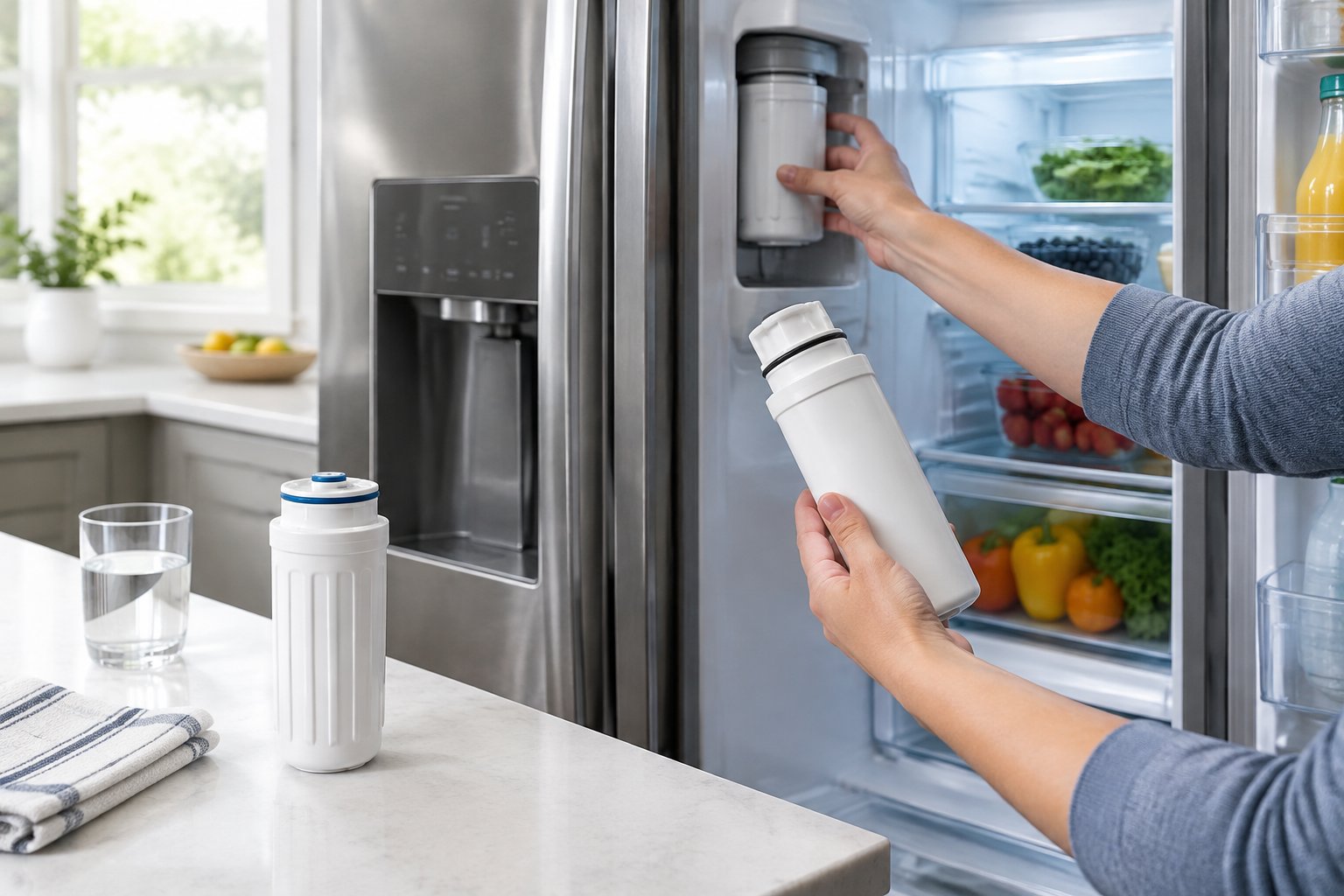
How to Replace GE Profile Refrigerator Water Filter Cartridges That Twist In
These steps cover MWF, MWFP, XWF, and XWFE cartridges. GE’s twist-in filter replacement steps follow the same basic order.
- Place a cloth under the filter to catch a few drops of water.
- Grip the filter and turn it to the left until it stops. Pull gently downward as you turn, and keep it level to limit spills.
- If it will not come loose, press the water dispenser to release trapped air. The filter should then drop out.
- Take the cap off the new filter and fill the top of it with tap water.
- Line up the arrow on the filter with the holder. If there is no arrow, face the label forward.
- Push the filter gently up into the filter head, then turn it slowly to the right until it stops. It will rise into place as you turn.
If your filter sits in the grille, move the decorative cap from the old filter onto the new one before you install it.
How to Change an RPWFE Filter in a Swing-Out Holder
RPWFE steps change with the color of your filter holder. Check whether yours is blue or grey before you pull on anything.
Blue holder:
- Open the filter door and pull the bottom of the cartridge to free it from the clips.
- Swing it outward until the holder clicks into the bracket.
- Twist the cartridge a quarter turn counterclockwise and pull it out.
- Line up the new cartridge with “FRONT” facing the top of the fridge. Push it in, then twist it a quarter turn clockwise so “FRONT” faces you.
- Swing the filter back in.
Grey holder:
- Open the filter door and pull the bottom of the cartridge so it swings out.
- When it stops swinging, gently pull it straight out of the holder.
- Center the new cartridge with “FRONT” facing outward and push it in until it seats.
- Swing the filter back into place.
A small amount of water may drip out of either holder. That is normal.
Check That the New Filter Is Seated and Does Not Leak
A properly seated filter stops turning on its own and sits flush in the housing. On twist-in models, the cartridge should feel snug and should not wobble when you touch it.
On RPWFE holders, look for red indicators. If you can still see red, the cartridge is not fully seated. Pull it back out, realign it, and push it in again.
After installation, wipe the housing dry and wait a few minutes. Check again for drips before you close the cover or put the door bin back.
Flush the Water and Reset the Filter Indicator
Every new cartridge needs a flush to clear trapped air, and most GE Profile models need a manual reset of the filter light. The flush amount and reset method both vary by model.
How Much Water Does a New GE Filter Need?
For MWF and XWFE twist-in cartridges, GE advises dispensing about 1 to 2 gallons of water. Press the water pad until flow starts. The first few ounces may sputter because of air in the new filter, and that is normal.
For RPWFE filters, follow the insert that comes in the filter package. Keep dispensing until the flow is steady and the water runs clear.
A few extra tips help the flush go smoothly:
- Use a large pitcher or bucket so you are not refilling a glass over and over.
- Dispense in short bursts if your model pauses after a set time.
- Toss the first batch of ice made after the change if it looks cloudy or tastes off.
How Do You Reset the Indicator on Your Model?
The GE refrigerator water filter reset process depends on your control panel. Many GE Profile models have a “Reset Filter” pad or a filter option in the dispenser menu. You press and hold it until the light changes.
Check your owner’s manual for the exact button and hold time. The instruction insert packed with GE filters also covers many models.
If you cannot find the reset option, look up your model number on the manufacturer’s support site. Once you reset it, the light should count down to your next change, about six months away.
What if the New GE Filter Does Not Work?
Most problems after a filter change come from trapped air, a cartridge that is not fully seated, or a filter that does not match the model. Work through the checks below in order.
Check for Slow Flow, Sputtering, or Leaks
Sputtering in the first gallon is normal and clears as you flush. If the water still spits after 2 gallons, keep dispensing a little longer to push out remaining air.
Slow flow that does not improve usually means the cartridge is not fully engaged. Remove it, check the O-rings for damage, and reinstall it. Also look for the leftover plastic cap on the new filter, since it is easy to miss.
Leaks at the housing almost always point to a seating problem. Turn a twist-in cartridge fully to the right until it stops. On an RPWFE holder, make sure no red indicators show. If a leak continues with a correct, fully seated filter, contact the manufacturer for service.
Check Filter Fit and RFID Features on Applicable Models
Some GE and GE Profile refrigerators read a radio frequency identification (RFID) chip on the filter. GE documents RFID on RPWFE filters and on the XWFE, where the chip supports XWFE leak detection and filter-status monitoring. On those models, the refrigerator can shut the water valve when it senses a leak.
RFID features vary by model, and not every GE Profile refrigerator uses them. GE notes that on some applicable models, a missing, damaged, or non-GE filter can leave the dispenser without water, so check your owner’s manual before you buy.
If your dispenser stops after a filter change, first reseat the cartridge. Then check your owner’s manual for RFID details. Keep the old filter until you know the new one works.
Compare Compatible Filters by Exact Fit and Product-Specific Claims
Compatible filters can cost less than genuine GE cartridges. Only buy one that lists your exact part number, and check whether it supports the RFID features on your model.
Certification claims differ from product to product. The genuine GE RPWFE lists NSF 42 and NSF 53 certification and a 170-gallon rated capacity on its RPWFE filter specifications. GE also notes that its pharmaceutical claims were tested by an independent lab, not certified by NSF. That shows why you should read each product’s specific claims.
WQA approval and NSF certification are separate programs. For any filter, check which standard it meets (such as NSF 42 for chlorine taste and odor, or NSF 53 for health-related contaminants like lead). Then check which contaminants that model is certified to reduce. The ICEPURE RFC0600A, for example, is sold as an alternative to the GE MWF, so confirm its listed fit and claims before ordering.
Your Next GE Filter Change Will Be Faster
Once you know your part number, holder type, and reset method, every future change takes just a few minutes. Write your filter code on a piece of tape inside the fridge, or save a photo of the old cartridge label. Next time, you will skip the guesswork entirely.
Many homes have more than one refrigerator, especially if you manage a rental or keep a garage fridge. Keep each model’s filter code in the same note so reorders stay simple.
Ready for your next cartridge? Match your GE part number with the refrigerator filter cross-reference at FilterForFridge.com, with free shipping to the lower 48 states. Still unsure? Call +1 615-758-6915 or email your model number for a fit check before you order.
Frequently Asked Questions
Can a GE Profile Filter Be Changed With the Water On?
Yes, you do not need to shut off the water supply. GE designs its MWF, XWFE, and RPWFE cartridges to be swapped with the water on. Keep a towel under the housing to catch a few drops.
Where Is the Water Filter on a GE Profile Refrigerator With an Ice Maker?
The ice maker does not change the filter location; your refrigerator style does. Side-by-side models usually place it at the top right of the fresh food section. French door models often put an RPWFE filter at the top left or inside the left door.
How Do I Remove a Stuck GE Profile Water Filter?
Press the water dispenser for a few seconds to release trapped air pressure, then turn the filter left again. On twist-in cartridges, pull gently downward as you turn. If it still will not budge, check your owner’s manual before using more force, since you can crack the housing.
Why Does My GE Profile Refrigerator Still Say the Filter Needs Replacing?
The filter light runs on a timer or counter, so it stays on until you reset it by hand. Find the reset pad or menu option in your owner’s manual and hold it until the light changes. On some RPWFE models, a cartridge that is not fully seated can also keep a warning on.
Can I Use a Compatible Filter in a GE Profile Refrigerator That Takes RPWFE?
You can, as long as the filter lists RPWFE fit and supports your model’s RFID features if it has them. Check that product’s own NSF or WQA claims, since certifications vary by filter.